Welcome to the world of WordPress! Whether you’re a budding marketer or a business owner looking to carve out your space on the web, mastering WordPress is a crucial step. Here’s a simple guide to get you started on this versatile platform.
Finding Your Way to the Dashboard
Step 1: Log In
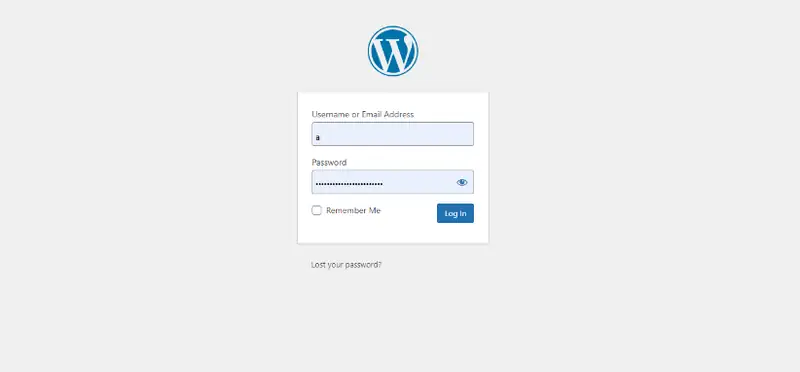
First things first, access your WordPress site’s login page. You can usually find this by adding /wp-admin at the end of your website’s URL (like this: yourwebsite.com/wp-admin). Enter your username and password, and voila! You’re in.
Step 2: Exploring the Dashboard
The Dashboard is the command center of your WordPress site. Here, you’ll find everything you need to manage your content, from posts and pages to comments and settings. Take a moment to explore these options. Hover over each section to see sub-options and get familiar with the layout.
Setting Up Your Site
Step 3: General Settings
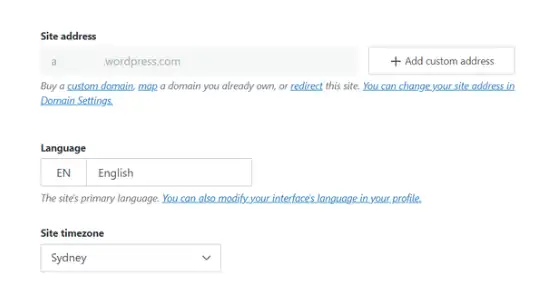
Before you dive into creating content, let’s set up your site:
- Go to Settings → General.
- Here, you can set your site’s title, tagline, and time zone. These basics help define your site’s identity and how it interacts with visitors and search engines.
Step 4: Profile Adjustment
Personalize your user profile:
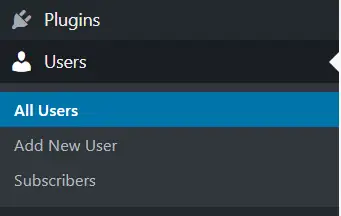
Navigate to Users → Your Profile.
You can change how your name is displayed publicly and set your contact information. More importantly, take this chance to set a strong password!
Ready, Set, Publish!
Now that you’re acquainted with your Dashboard and have your settings tuned, you’re ready to start crafting content that engages and converts. Stay tuned for our next article, where we’ll dive into creating your first post and making sure it shines!
